Getting Too many requests while logging in Talawa Mobile Application

SHAHEEN

New member
Hi @everyone,

I’m facing an issue while trying to log in to the Talawa mobile application.
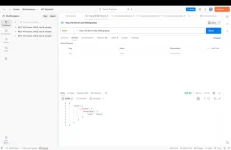
Even though my GraphQL endpoint seems to be responding correctly in Postman and GraphiQL (screenshots attached), the mobile app throws an error during login.

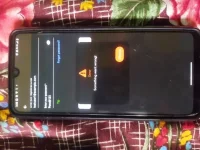
On the mobile device, I’m getting the “Something went wrong!” popup, and in the console, it shows a “Too many requests” error.

I’ve attached the screenshots for reference:
  • Postman response from /graphql
  • Mobile app login error
Could someone please guide me on what might be causing this and how I can resolve it?
Thank you!1763624140560.webp1763624194793.webp
 
@SHAHEEN Pls check if your backend is working or not using graphiql playground. making http request from postman is not the idle way. Go to localhost:4000\graphiql to access the playground and try to login first using the signup query there. Also pls share logs of the flutter that you are getting
 
1763656199179.webp
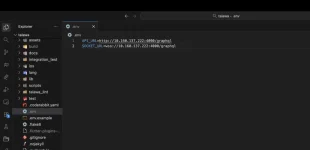
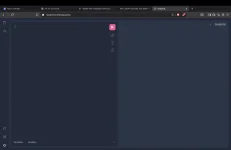
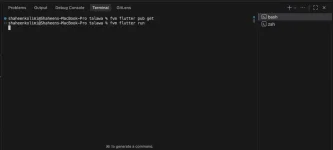
I’m able to access GraphiQL without any issues, and I’ve attached a screenshot of the logs from the Flutter side as well.
Could you please help me understand how to resolve this issue?
Thank you!
 

Attachments

  • 1763656139883.webp
    1763656139883.webp
    8.5 KB · Views: 4
Last edited:
1. Use develop branch for both app, api and for admin as well.
2. The issues is clearly with your backend. Try running some queries or mutations in the graphiql playground and see if it is working or not.
3. Make sure you have imported sample data properly.

if the issue persists. Try reinstalling the api.(prune your docker, container, networks first)
 
Could you please confirm one thing for me?
I am currently running both commands — docker compose up and pnpm run start_development_server.
Is this the correct approach, or should only one of them be running?
 
@SHAHEEN Is your issue resolved ?
If not, please let me know:
1. Are you using the Develop branch correctly for the API and mobile?
2. Are the queries and mutations functioning properly in the GraphQL playground (localhost:4000/graphiql)?
 
Thank you for asking. I deleted everything and started again from the beginning, and it worked. But even after a successful login, I still see a dialog saying ‘Something went wrong.’ Apart from that, the setup worked as expected.
 
Back
Top