
kodr_soul
New member
Hello Everyone, I am Shrikant .I started to setup the talawa-api while following the video
I am using windows to setup:
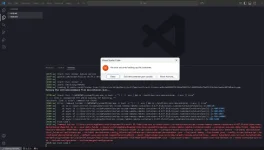
but while opening the vscode and click on the bottom left corner (wsl:ubantu) then a dropdown box appear from the center of the screen and while i click on reopen in container there occur an error while i copied it and checked accross various places google, stackoverflow but in chatgpt i found that the error occur due to the not running the vs code in the wsl mode while i found that i run that in wsl mode but after clicking on the reopen in container it is opening a new window which is not a wsl window.
chatgpt suggest me to change in the devcontainer file replace this :
with :
i tested it too but not working
Does anyone else also faced this and can anyone help me to get out of it .
I am using windows to setup:
but while opening the vscode and click on the bottom left corner (wsl:ubantu) then a dropdown box appear from the center of the screen and while i click on reopen in container there occur an error while i copied it and checked accross various places google, stackoverflow but in chatgpt i found that the error occur due to the not running the vs code in the wsl mode while i found that i run that in wsl mode but after clicking on the reopen in container it is opening a new window which is not a wsl window.
chatgpt suggest me to change in the devcontainer file replace this :
JSON:
"initializeCommand": "/bin/sh -c '[ ! -f .env ] && cp ./envFiles/.env.devcontainer ./.env || true'"with :
JSON:
"initializeCommand": "bash -c \"[ ! -f .env ] && cp ./envFiles/.env.devcontainer ./.env || true\""Does anyone else also faced this and can anyone help me to get out of it .