
Shofikul Islam
New member
@palisadoes
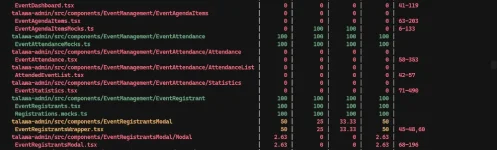
I've successfully achieved 100% test coverage for EventRegistrants.
However, I've consistently faced an issue with the auto-docs directory, which causes git checkout failures due to uncommitted changes. This hinders branch switching and maintaining a clean working directory.
Given auto-docs is auto-generated, could we discuss adding it to .gitignore or another solution to prevent these conflicts?
Thanks!
I've successfully achieved 100% test coverage for EventRegistrants.
However, I've consistently faced an issue with the auto-docs directory, which causes git checkout failures due to uncommitted changes. This hinders branch switching and maintaining a clean working directory.
Given auto-docs is auto-generated, could we discuss adding it to .gitignore or another solution to prevent these conflicts?
Thanks!